

Most landscaping WordPress themes make a good first impression. Their demos have polished project photos, plenty of green, and promises of easy customization. Look beyond the homepage, though, and the differences become clearer.
I compared eight themes for landscaping and lawn-care businesses. I checked the supplied pages, project layouts, page builders, quote-request features, price, recent updates, sales, and customer ratings.
I built The Landscaper WordPress theme and still maintain it and handle support. It’s the first theme on this list, so keep that in mind when reading my recommendation.
How I evaluated the themes
I didn’t choose these themes based on appearance alone. A beautiful demo isn’t much use if the theme is difficult to edit or hasn’t been maintained properly.
Here’s what I compared:
- Does it include the pages a landscaping business actually needs?
- Is it easy to customize without coding?
- Can it present services and completed projects clearly?
- Does it include or support contact and quote-request functionality?
- What does its public update, sales, and review history show?
- Does its functionality appear reasonable for the price?
This comparison is based on public demos, product descriptions, changelogs, ratings, and documentation. I haven’t independently performance-tested every theme.
Quick picks
- Best overall: The Landscaper. Landscaping-specific layouts, compatibility with free Elementor, and over ten years of regular updates make it a safe, proven choice.
- Best budget option: Lawnella. Plenty of business features for approximately $35.
- Best for services and a shop: Yard. Modern layouts with WooCommerce integration.
- Best for layout choice: Greenova. Numerous designs for services, projects, teams, and case studies.
- Best selection of demos: Planteo. More than eight demos and over 30 prebuilt pages.
- Best for online cost estimates: Gardena. Includes a customizable calculator for estimating landscaping-service costs.
- Best premium Elementor Pro theme: EverGreen. Native Elementor Pro templates and editing.
- Best for indoor gardening: Planto. A clean design aimed at plant and indoor-gardening businesses.
Landscaping WordPress themes compared
| Theme | Best For | Page Builder | WooCommerce | Price* |
|---|---|---|---|---|
| The Landscaper | Complete landscaping service websites | Elementor | Yes | Annual: $39 Lifetime: $89 |
| Lawnella | Startups and smaller businesses | Elementor and WPBakery | Yes | $35 |
| Yard | Services combined with an online shop | Elementor | Yes | $69 |
| Greenova | Maximum layout choice | Elementor and WPBakery | Yes | $49 |
| Planteo | Multiple demo options | Elementor and WPBakery | Yes | $39 |
| Gardena | Online landscaping cost estimates | Elementor | Yes | $39 |
| EverGreen | Native Elementor Pro workflow | Elementor Pro required | Yes | $90 |
| Planto | Indoor gardening and plant services | Elementor | Not listed | $59 |
* Prices are in US dollars and may change. Tax, extended support, and additional plugin licenses can cost extra.
The Landscaper
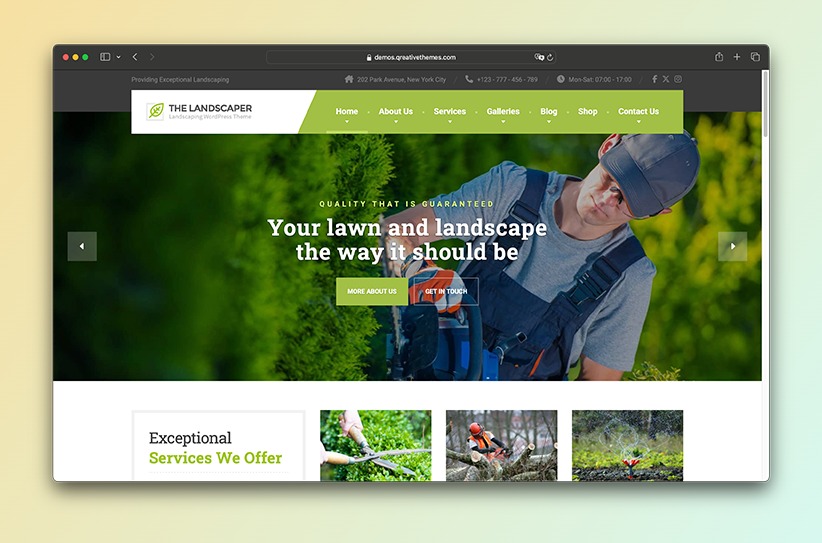
The Landscaper is made specifically for landscapers, gardeners, lawn-care companies, and other outdoor-service businesses. That focus is clear throughout its layouts.
It includes ready-made pages for services, completed projects, testimonials, company information, and quote requests. You can edit them all in Elementor without touching any code.
What I like most is that it doesn’t try to serve every type of business. The layouts are designed around how landscaping companies present their work and generate enquiries, so you don’t have to reshape a generic multipurpose demo.
The theme also has a proven track record. It has more than 4,700+ sales, an average rating of 4.83 out of 5, and has received continuous updates since its launch in 2015. That amounts to more than 10 years of active development and maintenance.
Key features:
- Elementor page builder
- Purpose-built layouts for services, projects, team members, company information, and more
- One-click demo import
- Contact and quote-request forms
- Testimonial sections
- Distinctive, conversion-focused header layout
- WooCommerce compatibility
- Multilingual and RTL support
What could be better: Fewer prebuilt layout variations than a multipurpose theme. You can build new layouts in Elementor, but you won’t find dozens of alternate homepage demos to flip through. That’s the trade-off for staying focused instead of trying to cover every use case.
Price: $39 per year or $89 one-time
Developer: QreativeThemes
Page builder: Elementor
Sales and reviews: 4,700+ sales and a 4.83/5 rating from more than 150 reviews
Lawnella
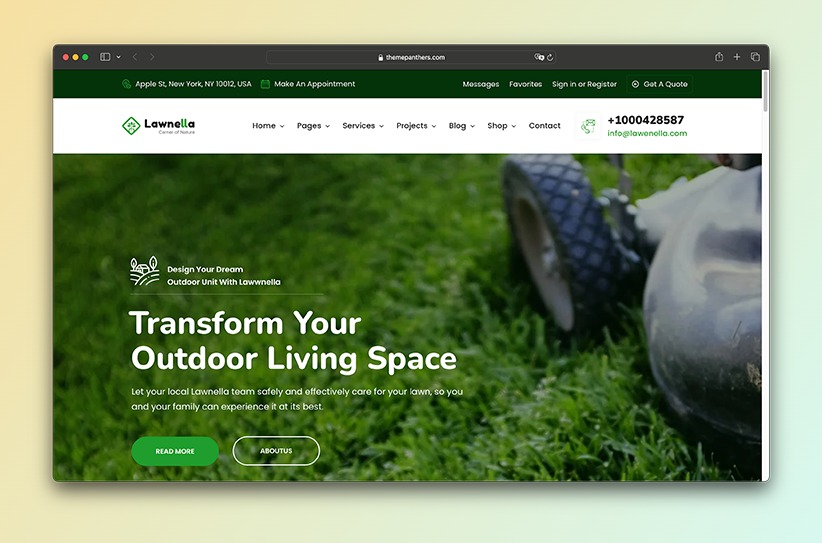
Lawnella packs in a lot for the price. It supports both Elementor and WPBakery, and covers services, projects, testimonials, team members, pricing, appointments, office locations, and service areas.
WooCommerce is built in too, so you can sell products or set up service packages directly through the site.
At roughly $35, it’s the cheapest theme in this comparison by a good margin, and the numbers back it up: more than 900 sales and a perfect five-star average from 22 reviews at the time of writing.
Key features:
- Elementor and WPBakery support
- One-click demo installation
- Service and project layouts
- Appointment and contact forms
- Before-and-after presentation
- WooCommerce support
- Multilingual compatibility
What could be better: Supporting two page builders gives you flexibility, but it can also make the package more complicated. Decide which builder you want to use before importing a demo rather than mixing both systems.
Price: $35
Developer: SteelThemes
Page builder: Elementor and WPBakery
Sales and reviews: More than 900 sales and a 5/5 rating from more than 20 reviews
Yard
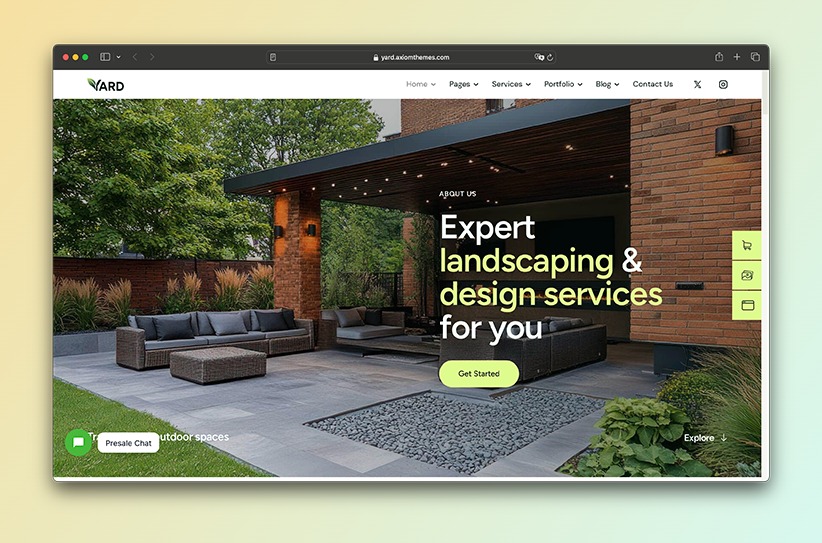
Yard is newer, and it looks it. It has a clean, contemporary design with three homepage options, Elementor editing, project galleries, booking functionality, and WooCommerce support.
It’s worth a look if you’re not just landscaping but also running a nursery, garden center, or online shop alongside it. WooCommerce lets you sell plants, tools, or service packages right next to your regular company pages.
Key features:
- 3 homepage designs
- Elementor page builder
- Service and project layouts
- Booking functionality
- WooCommerce integration
- Responsive design
- Blog layouts
What could be better: Yard is relatively new, so it doesn’t yet have the sales, reviews, and long-term support history of more established themes. It also costs more than several alternatives with a larger customer base.
Price: $69
Developer: AxiomThemes
Page builder: Elementor
Sales and reviews: A newer theme with limited sales and customer feedback
Greenova
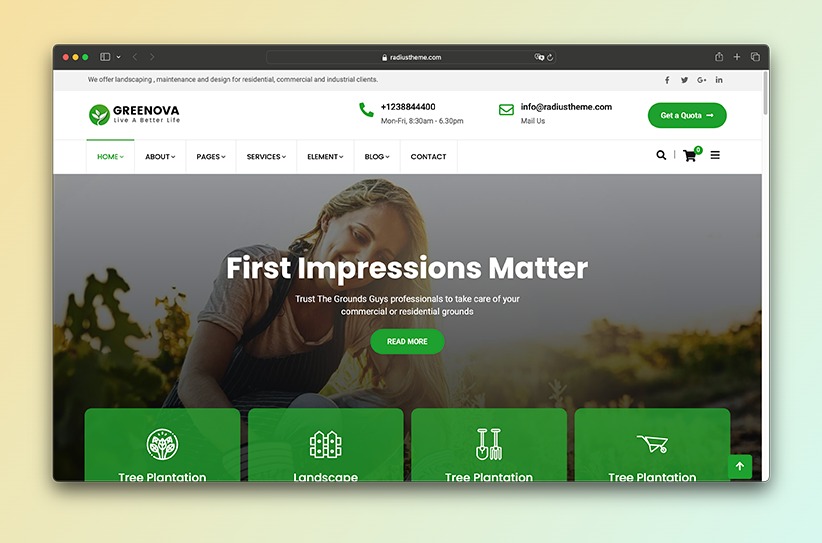
Greenova throws a lot of layout options at you: multiple homepage designs, plus pages for services, portfolios, case studies, teams, and testimonials.
The portfolio layouts stand out if you want more than one way to show off finished projects. It supports Elementor and WPBakery, and one-click demo import gets your initial site structure in place quickly.
Key features:
- Multiple homepage designs
- Portfolio and case-study layouts
- Service, team, and testimonial sections
- Elementor and WPBakery support
- One-click demo import
- WooCommerce compatibility
- WPML multilingual support
What could be better: The number of layouts and builder options gives you plenty of flexibility, but it also creates more setup decisions. Check which builder your preferred demo uses before importing it.
Price: $49
Developer: RadiusTheme
Page builder: Elementor and WPBakery, depending on the demo
Sales and reviews: Approximately 1,500 sales and a 4.8/5 rating from more than 40 reviews
Planteo
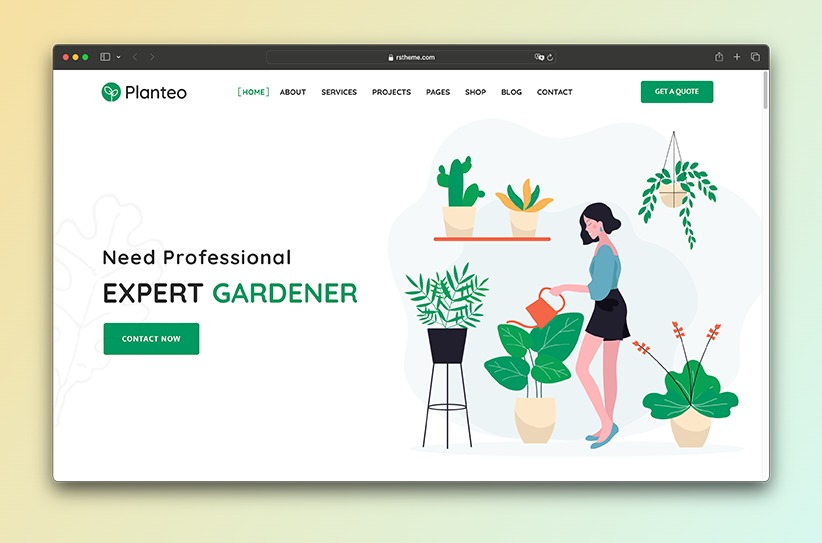
Planteo’s headline feature is sheer volume: eight-plus one-page and multipage demos, and more than 30 prebuilt inner pages to pull from.
It covers Elementor, WPBakery, WooCommerce, WPML, and right-to-left languages, which makes it flexible enough for landscaping companies, lawn-care providers, gardeners, nurseries, and flower shops alike.
If you haven’t settled on a visual direction yet, having that many demos to compare inside a single purchase is genuinely useful.
Key features:
- 4 homepage designs
- More than 30 prebuilt pages
- Elementor and WPBakery support
- One-click demo import
- Service and project layouts
- WooCommerce compatibility
- Multilingual and RTL support
What could be better: More demos and settings also mean more decisions. If you simply want to reproduce one focused design and replace the content, a smaller theme may be easier to manage.
Price: $39
Developer: RSTheme
Page builder: Elementor and WPBakery
Sales and reviews: More than 300 sales and a 4.3/5 rating from fewer than 10 reviews
Gardena
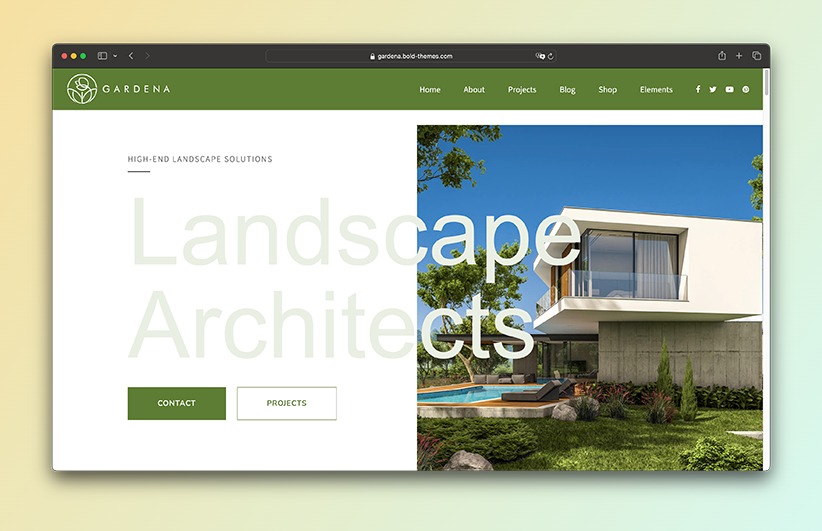
Gardena, from BoldThemes, ships with five homepage designs aimed at landscapers, gardeners, lawn-care providers, groundskeepers, and plant shops.
The feature that sets it apart is the built-in Cost Calculator: an interactive form where visitors pick services, enter quantities, and get an estimated price before they ever contact you. That works well for predictable jobs like lawn mowing, hedge trimming, seasonal cleanup, or maintenance packages. It works less well for anything that really needs a site visit to quote properly.
It runs on BoldThemes’ own drag-and-drop Bold Builder rather than Elementor, includes one-click demo import, and supports WooCommerce, Contact Form 7, WPML, and right-to-left languages.
Key features:
- 5 homepage designs
- Landscaping cost calculator
- Bold Builder page editor
- One-click demo import
- Service and project layouts
- WooCommerce compatibility
- Multilingual and RTL support
What could be better: Bold Builder is less common than Elementor, so there’s a small learning curve if you’re used to the more popular editor, and it ties your content more tightly to this theme’s ecosystem. The cost calculator also only really works for standardized services; bigger landscaping projects still need a site visit and a real quote.
Price: $69
Developer: BoldThemes
Page builder: Bold Builder
Sales and reviews: More than 600 sales and a 4.7/5 rating from more than 15 reviews
EverGreen
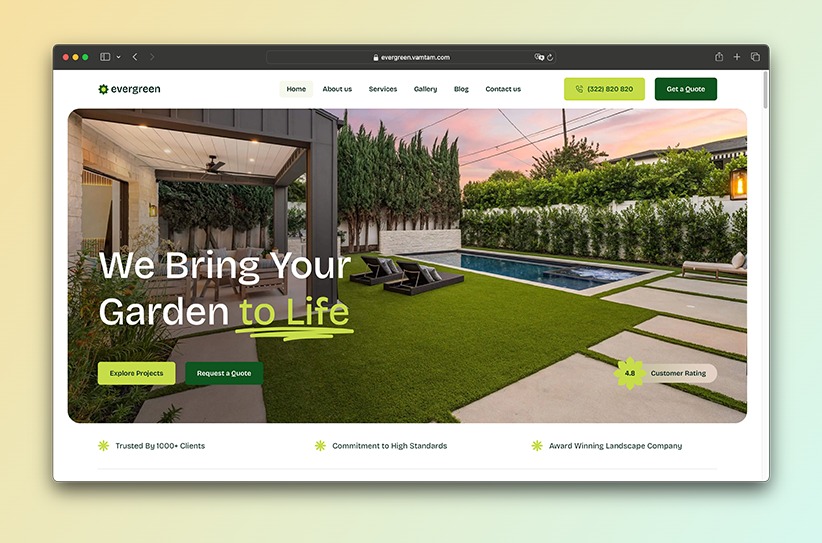
EverGreen, from VamTam, targets landscapers, lawn-care providers, groundskeepers, hardscaping specialists, and outdoor-living companies.
It’s built entirely around Elementor Pro. Headers, footers, forms, pop-ups, archives, and dynamic templates all live in the same editor, so there’s no separate theme-options panel to learn. Licensed stock images from the demo are included too.
Key features:
- 2 homepage designs
- Elementor and Elementor Pro workflow
- Elementor-built headers and footers
- Forms and pop-ups
- Dynamic content templates
- Licensed demo images
- WPML and RTL support
What could be better: You’ll need an active Elementor Pro license to import and reproduce the full demo, so the $90 sticker price isn’t the whole cost. It’s also newer than most of the others here, with a shorter track record to judge it by.
Price: $90, excluding Elementor Pro
Developer: VamTam
Page builder: Elementor Pro
Sales and reviews: Approximately 100 sales with limited customer-rating data
Additional requirement: Active Elementor Pro license
Planto
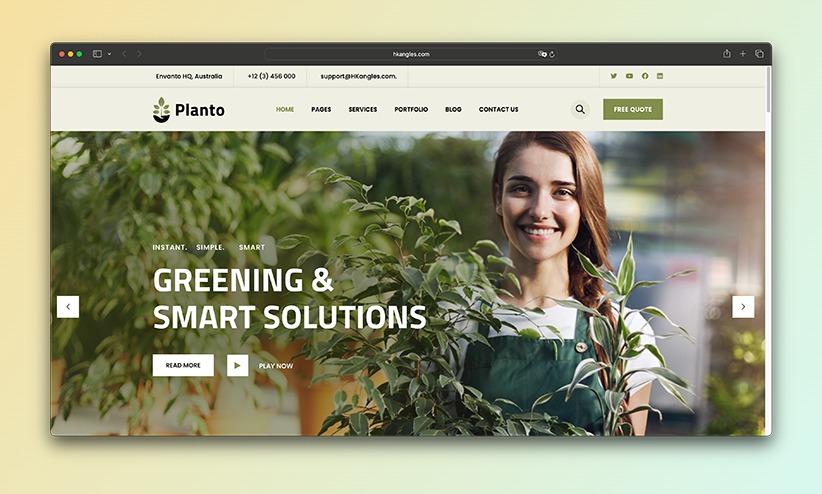
Planto splits the difference between traditional landscaping and indoor-gardening businesses.
Its clean, plant-forward look sets it apart from the lawn-care and outdoor-contracting themes elsewhere in this list. It runs on Elementor and has dedicated content types for services and projects, plus one-click demo import, global design settings, a child theme, Contact Form 7 compatibility, and multilingual support.
Key features:
- Elementor page builder
- One-click demo import
- Service and project content
- Global color and typography controls
- Child theme included
- Contact Form 7 compatibility
- Translation support
What could be better: It has a small user base, and while the marketplace listing shows a recent update, the changelog itself hasn’t recorded any changes since 2024, which is worth asking the developer about before you buy. WooCommerce also isn’t listed as compatible, so check that directly if an online shop matters to you.
Price: $59
Developer: HKangles
Page builder: Elementor
Sales and reviews: Fewer than 100 sales and a 5/5 rating from only a handful of reviews
Frequently asked questions
The exact functionality differs between themes. Some features are included in the demo, while others require an additional plugin or premium page-builder license. Always review the product description and requirements before purchasing.
What features should a landscaping WordPress theme include?
At a minimum, look for service pages, project galleries, testimonials, company information, service areas, and a clear way to request a quote.
The project gallery is especially important. Landscaping is visual, and potential customers will usually want to see examples of your work before contacting you.
Reviews are most effective when they’re recent, specific, and placed near important calls to action. See our guide to getting more landscaping reviews for practical advice on asking customers and displaying their feedback.
Can I build a landscaping website myself?
Most premium landscaping themes are built for people without coding experience. Import a demo, swap in your company name and photos, add your services, and adjust the colors to match your branding.
Some WordPress knowledge still helps, though. You’ll still need to install plugins, configure forms, optimize images, and keep everything updated. For bigger design changes or custom functionality, you’ll likely still need a developer.
Can customers request a quote through a WordPress website?
Yes. Most landscaping themes support form plugins such as Contact Form 7, WPForms, Gravity Forms, or Fluent Forms.
A useful quote form asks for the customer’s name, contact details, project location, required service, and a short description. Some themes include a ready-made quote form; others only provide a general contact form, in which case you’ll want to build a dedicated one yourself.
Can landscaping themes display before-and-after projects?
Most landscaping themes include project galleries or portfolio pages, but a dedicated before-and-after comparison slider is less common.
If the theme doesn’t include one, you can usually add it with an Elementor widget or separate plugin. Use original photographs and add a short explanation of what you did, where the project was located, and how long it took.
A good gallery still needs convincing photography and useful project details. Our guide on how to get more landscaping customers explains how to document completed work and use it to generate enquiries.
Can I add appointment booking?
Yes, with a compatible WordPress plugin, even if the theme doesn’t include one out of the box.
Online booking works best for predictable services like lawn mowing, consultations, hedge trimming, and recurring maintenance. A full garden redesign or patio installation will usually still need a quote request and a site visit instead.
Can I promote seasonal services and maintenance packages?
Yes. Create separate pages or homepage sections for spring cleanup, summer lawn care, autumn leaf removal, winter pruning, and any other seasonal work.
A comparison table works well for weekly, fortnightly, monthly, and one-time maintenance packages. If pricing depends on the property, explain what each package includes and add a “Request a quote” button instead of a fixed price.
Can a landscaping website target multiple service areas?
Yes. Create a service-area page listing the towns, cities, or regions you cover, and consider individual pages for your most important locations.
Make each location page genuinely useful. Mention the services available there, nearby projects, travel limits, and relevant contact details. Don’t just duplicate the same page and swap the town name; that hurts more than it helps.
What should I check before purchasing a WordPress theme?
Check the theme’s update history, customer reviews, sales history, documentation, support policy, page-builder requirements, and compatibility with the plugins you want to use.
Also confirm which demo content and images are included. Some themes require a premium builder such as Elementor Pro, while others bundle commercial plugins that may need separate licenses for direct updates.
Don’t choose on price alone. A theme that suits your business and gets ongoing maintenance will usually beat the cheapest available option over the long run.