

Asking for a Google review can feel awkward. You have finished the job, the customer is happy, and bringing up a review can sound like one more request before you leave.
Most satisfied customers are willing to help. The request works best when it is timely, specific and easy to complete.
This guide explains when to ask, what to say, how to encourage useful feedback without scripting it, and how to build review requests into your normal job-completion process.
TL;DR: Ask shortly after a completed job, share a direct Google review link, and keep the message personal. Never offer a discount or reward for a review. Reply to the feedback you receive and display useful testimonials on the pages where potential customers make decisions.
1. Why landscaping reviews matter
Landscaping requires trust. Customers may give you access to their property for several days and rely on you to protect existing plants, work safely and leave the site tidy. Before they request a quote, many will look for evidence that other customers had a good experience.
Reviews provide that evidence. A useful review can confirm the type of work completed, whether the team arrived when promised, how communication was handled and what the finished garden looked like.
Reviews and local search
Google says local results are mainly based on relevance, distance and prominence. Review count and positive ratings can contribute to prominence and help a business stand out. They are part of the picture, alongside complete business information, relevant services, links and other signals. You can read Google’s guidance on improving local rankings.
That distinction matters. No review target or star rating guarantees a particular ranking. Your practical goal is to collect a steady body of honest feedback that helps nearby customers judge your business.
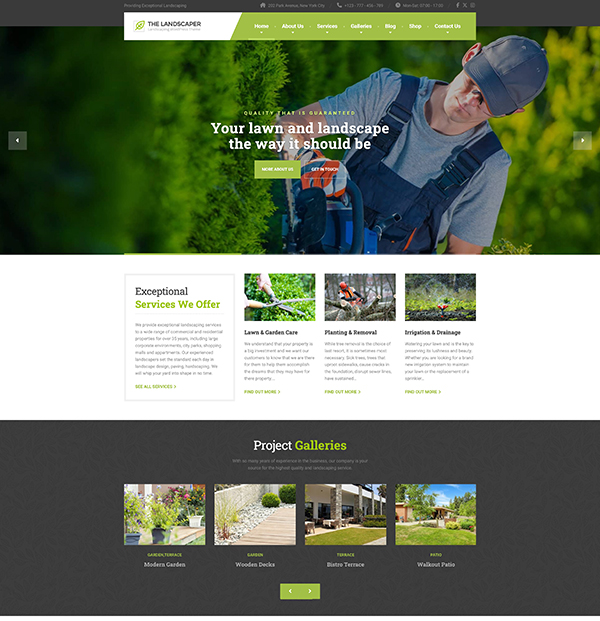
Need a Website for Your Landscaping Business?
The Landscaper includes ready-made service pages, project galleries, and estimate forms—so you don’t have to start from scratch.
2. How to ask landscaping customers for reviews
The best time to ask is soon after the customer has seen the finished work. For a garden redesign, that may be during the handover. For ongoing maintenance, ask after a noticeable improvement such as a seasonal tidy-up, new planting or a difficult job completed well.
Ask in person if the moment feels natural, then send the link by text or email. The follow-up removes the work of finding your profile and gives the customer time to write the review.
A simple review request
In person: “I’m glad you’re happy with the garden. Would you mind leaving us a Google review? I’ll text you the direct link so it’s easy to find.”
By text: “Hi [name], thanks again for choosing us for the garden work. If you have a minute, would you leave an honest Google review? Here’s the direct link: [link]. Thanks, [your name].”
Keep the message short and write it in your normal voice. Ask for an honest review rather than a five-star review, and don’t offer discounts, gifts or other incentives. Google prohibits incentives in exchange for reviews.
Create a direct Google review link
Google Business Profile lets you create a review link or QR code. Save the link in your phone, email template or job-management system so you can send it without searching for it each time.
Once reviews are coming in regularly, connect them to the rest of your marketing. The guide on getting more landscaping customers explains how reviews fit alongside project photos, referrals and repeat work.
3. What makes a landscaping review useful?
A rating with no written comment still contributes to your profile, but a detailed review gives potential customers more to judge. The most helpful reviews often mention:
- The work completed, such as garden design, paving, lawn care or hedge trimming
- The condition of the garden before the job
- Communication, punctuality and tidiness
- A specific result the customer valued
- The general location, when the customer is comfortable sharing it
Don’t write a review for the customer or tell them which keywords to use. You can give a neutral prompt: “It helps other customers if you mention the work we completed and how the process went.” The customer should choose what to say.
Use reviews on your website
A reviews page is useful, but it shouldn’t be the only place testimonials appear. Put a short, relevant review near the service or project it supports. A patio review belongs beside patio work; a maintenance review belongs on the maintenance page.
The Landscaper WordPress theme includes layouts for testimonials, project pages and service pages, so reviews can appear close to the work they describe.
4. How to respond to landscaping reviews
Replying shows that you read the feedback and care about the customer’s experience. Google also recommends responding to reviews as part of managing a Business Profile.
Replying to a positive review
Thank the customer and refer to one detail from the job. Two sentences are enough.
Generic: “Thank you for your review. We appreciate your business.”
Personal: “Thanks for the kind review, Sam. I’m glad the new patio and planting beds turned out the way you wanted. I hope you enjoy the garden this summer.”
Replying to a negative review
Respond calmly, acknowledge the specific concern and offer a direct way to continue the conversation. Avoid arguing about the details in public.
- Check the job record before replying
- Acknowledge the concern without becoming defensive
- Explain the next step you can take
- Move personal details and dispute resolution to phone or email
- Follow up after the issue has been handled
If you resolve the problem, the customer may decide to update the review. Focus on fixing the issue rather than asking them to change what they wrote.
5. Make review requests part of every completed job
A reliable process beats remembering occasionally. Add the request to the same checklist you use for final photos, invoices and handover notes.
- Save the Google review link as a phone shortcut or message template
- Ask during handover when the customer is pleased with the result
- Send one short follow-up with the direct link
- Add a review QR code to invoices or printed handover material
- Check new reviews monthly and reply to each one
Ask customers as jobs finish instead of sending a large batch of requests after months of silence. A steady process is easier to manage and gives you current feedback throughout the year.
Your website also needs suitable places to display that feedback. The guide to essential landscaping website pages explains where reviews fit across the homepage, services, projects and contact page.
The The Landscaper WordPress theme provides those page structures if you want to start from a ready-made layout.
Ask after your next completed job
Create your direct review link, save one short message and add the request to your completion checklist. After the next successful job, ask while the result is fresh and make the link easy to open.
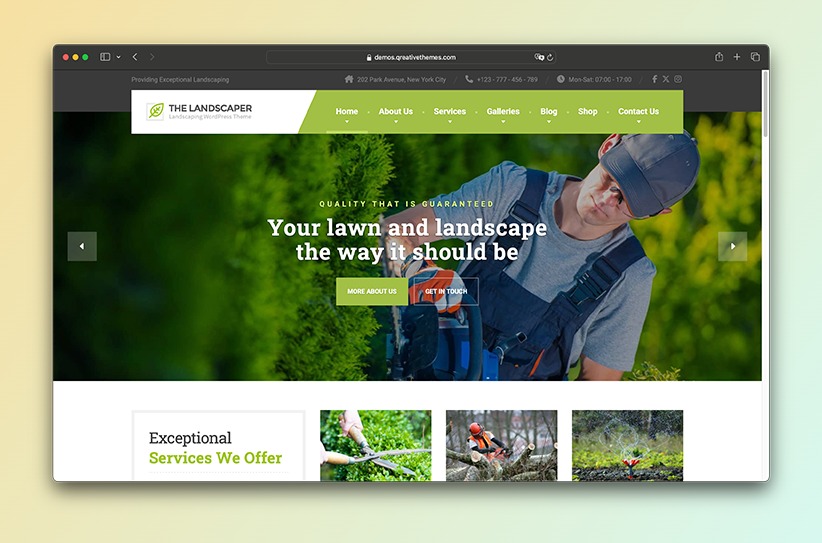
A Better Website for Your Landscaping Business
Show your services, project galleries, and estimate form with a WordPress theme built for landscaping companies.