
A physical therapy website needs to answer a small set of important questions: Can this practice help with my problem? Is it qualified and trustworthy? Where is it? What will an appointment involve? How do I book?
Most practices can answer those questions with six core pages: a homepage, treatments, conditions, about or team, reviews and booking or contact. Location, insurance, pricing and FAQ pages may also be useful depending on how the practice operates.

Physical therapy website checklist: Start with a clear homepage, treatment and condition information, clinician profiles, appropriate patient feedback and a simple booking route. Add supporting pages only when they answer a real patient question.
1. Homepage: explain the practice immediately
A visitor should be able to identify the type of practice, its location and the next step without searching through the page. The opening section should use plain language and one clear action.
What to include on the homepage
- The practice type and primary location.
- The main treatments or patient groups served.
- A prominent booking or contact button.
- A telephone number and opening hours.
- A short introduction to the clinicians.
- Links to important treatments and conditions.
- Practical trust signals such as qualifications and registrations.
- Directions or a link to location information.
A headline such as “Physical therapy for sports injuries and persistent pain in Utrecht” tells the reader more than “Helping you move better.” The supporting copy can add nuance after the main point is clear.
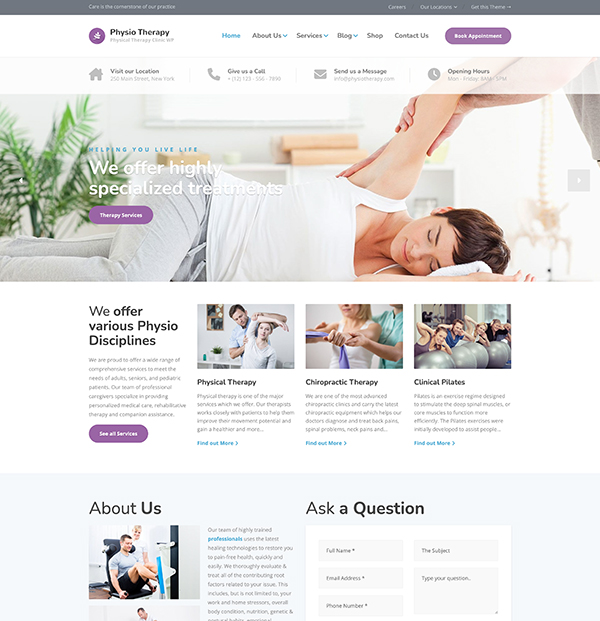
Need a Website for Your Physical Therapy Clinic?
Physio includes ready-made treatment pages, therapist profiles, pricing sections, and online booking—so you don’t have to start from scratch.
2. Treatments pages: describe the care you provide
Treatment pages should help a prospective patient understand what the service is, why it may be considered and what happens during an appointment. They should support an informed enquiry, not diagnose the reader.
- Who provides the treatment and their relevant qualifications.
- Problems or goals commonly discussed in an assessment.
- What the assessment and treatment process may involve.
- Typical appointment length and practical preparation.
- Fees, insurance or referral information where appropriate.
- A clear route to ask a question or book.
Give major services their own pages when you have enough useful information to justify them. Smaller or closely related treatments can share a well-organized overview page.
3. Conditions pages: meet patients in their own language
Patients often search for a symptom, injury or body area rather than a treatment name. Conditions pages can explain how the practice approaches those concerns and when an assessment may be appropriate.
Keep claims measured. Explain that symptoms can have different causes, avoid guarantees, and make clear when urgent or emergency care may be needed. Clinical content should be reviewed by a suitably qualified professional.
A useful conditions page can cover
- A plain-language description of the concern.
- Common symptoms and possible causes without presenting a diagnosis.
- How a clinician assesses the problem.
- Treatment approaches that may be considered.
- Relevant clinician experience.
- Answers to common practical questions.
- Links to related treatments and booking information.
4. About and team pages: show who provides care
Prospective patients want to know who they may meet. Use real photographs and individual clinician profiles rather than relying on a broad statement about expertise.
- Full name and professional role.
- Qualifications and registration details where relevant.
- Clinical interests and experience.
- Languages spoken.
- A short explanation of the clinician’s approach.
- A recent, consistent photograph.
- A booking link when patients can choose a clinician.
The main About page can explain the practice’s history, values, accessibility, facilities and approach to collaborative care. Concrete details are more credible than claims such as “world-class treatment.”
5. Reviews and testimonials: use patient feedback responsibly
Patient feedback can answer questions about communication, organization and the overall experience. Healthcare advertising rules vary, so check whether and how testimonials may be used in your location.
Obtain permission before republishing a review on the website. Avoid editing a testimonial in a way that changes its meaning, and do not present one patient’s outcome as a result everyone should expect.
6. Booking or contact page: make the next step clear
The booking page should reduce uncertainty and collect only the information needed to arrange the next step.
- Online booking or a short enquiry form.
- A clickable telephone number.
- Practice address, directions and accessibility details.
- Opening hours and expected response time.
- Appointment fees and cancellation policy.
- Referral and insurance information.
- A clear privacy notice and secure handling of submitted information.
Test the entire process on a phone. Confirm that buttons are easy to tap, forms are short and confirmation messages explain what happens next.
Supporting pages that may be useful
Location page
Use a dedicated location page when the practice has more than one clinic or the address requires detailed directions. Include transport, parking, accessibility and photographs that help a first-time visitor recognize the building.
Fees and insurance
Publish fees when possible. Explain what is included, accepted payment methods, reimbursement or insurance arrangements, referral requirements and cancellation terms.
Frequently asked questions
Answer questions the reception team hears repeatedly: what to wear, what to bring, whether a referral is needed, how long appointments last and whether the building is accessible.
Blog or advice library
Publish only when the practice can provide accurate, reviewed information that serves a patient need. Give articles an author, reviewer where relevant, publication date and update date.
How the pages work together for search
Each page should have a distinct purpose. Link conditions to relevant treatments, treatments to clinician profiles, and all decision pages to booking information. This structure helps visitors move through the site and gives search engines clearer context.
The article on how new patients find a physiotherapist online explains what happens before the click and how people compare practices. The guide to getting more patients for a physical therapy practice covers the wider marketing and referral process.
Final checklist
- Every page identifies the practice and location clearly.
- Treatments and conditions use language patients understand.
- Clinical claims are accurate, qualified and reviewed.
- Clinician credentials are current.
- Contact and booking actions work on mobile devices.
- Fees, referrals and practical policies are easy to find.
- Patient information is collected and handled securely.
- Important pages link to one another naturally.
For practices that want these page types prepared in WordPress, the Physio WordPress theme includes layouts for treatments, clinicians, testimonials and appointments.
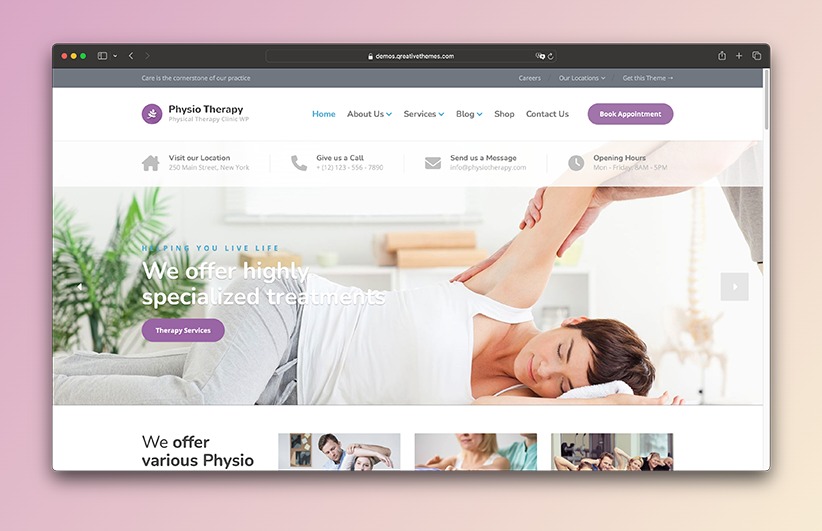
A Better Website for Your Physical Therapy Clinic
Present your treatments, therapist profiles, pricing, and online booking with a WordPress theme built for physical therapy clinics.