

Finding a physiotherapist usually starts with a practical question: who nearby treats this problem and has an appointment available?
Patients may search Google or Maps, follow a recommendation, or use a referral from another healthcare professional. Before booking, they often check the same details: location, treatment options, clinician qualifications, reviews, fees and availability.
Your website should make those details easy to find. Missing prices, vague service pages or an unclear booking process can send someone back to the search results.
This guide follows that decision from the first search to the final booking and shows what your practice needs to provide at each stage.
1. The patient searches for help
Some patients know what to search for:
- Physiotherapist near me
- Physical therapy in Rotterdam
- Sports injury physiotherapist
Others describe their problem:
- Help with knee pain
- Physiotherapy after knee surgery
- Treatment for a painful shoulder
A referred patient may search only for the clinic or clinician’s name.
Your website needs to connect those searches with the care you provide. A general page about “physiotherapy services” gives Google and patients little detail. Separate pages for important treatments, conditions and locations make the match clearer.
Your Google Business Profile matters too. Keep the practice name, address, telephone number, opening hours, services and photographs accurate. This is often the first information a patient sees.
Use language patients understand
Clinical terminology belongs on a healthcare website, but it should not be the only language you use. Many patients do not know the clinical name for their problem or treatment.
Use the professional term and explain it in ordinary language. A patient should be able to recognise their problem without guessing what a specialist phrase means.
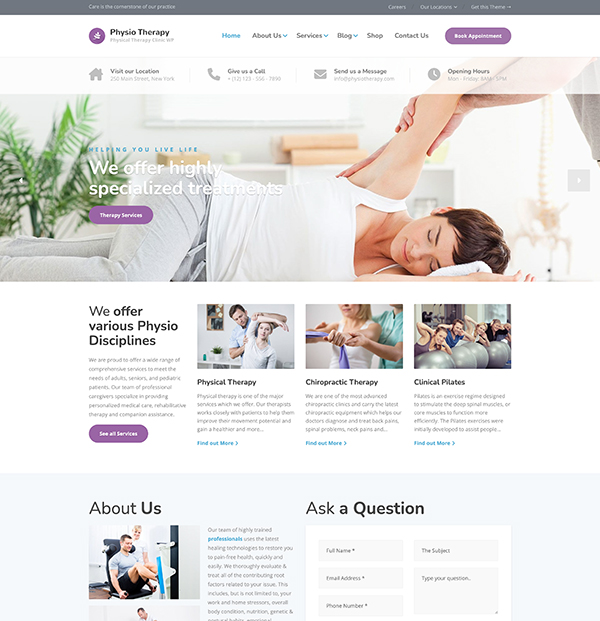
Need a Website for Your Physical Therapy Clinic?
Physio includes ready-made treatment pages, therapist profiles, pricing sections, and online booking—so you don’t have to start from scratch.
2. The patient scans the search results
Most patients will not study every result. They compare what is visible: the practice name, distance, opening hours, reviews, photographs and the description beneath each website result.
You cannot guarantee a particular position, but you can improve the information you control:
- Keep your business details and opening hours current.
- Choose accurate categories and services in your Google Business Profile.
- Add recent photographs of the clinic and team.
- Ask patients for honest reviews without offering incentives.
- Reply to reviews without disclosing private health information.
- Give every important page a specific title and description.
A result titled “Home” or “Welcome to Our Website” wastes the small amount of space available. Name the service, practice and location where appropriate.
3. The patient checks the website
The website now has to confirm that the practice is relevant. The first screen should tell visitors what kind of care you provide, where the clinic is and how to book.
Patients should be able to find answers to these questions without digging:
- Does this practice treat my problem?
- Who will assess or treat me?
- Are the clinicians qualified and registered?
- Where is the clinic, and can I get there easily?
- Do I need a referral?
- What does an appointment cost?
- Is insurance accepted?
- How soon can I book?
The homepage does not need to answer everything. Its job is to direct patients to clear treatment, condition, clinician, pricing and booking pages. The guide to the pages a physical therapy website needs explains how those pages fit together.
4. The patient decides whether to trust the practice
Patients are making a healthcare decision, often while they are worried or in pain. They want evidence that the practice is legitimate and that they will be treated professionally.
Show qualifications, registrations and relevant experience on each clinician profile. Use original photographs so patients can see the people and place behind the practice. Explain what happens during a first appointment and what they may need to bring.
Reviews can help patients understand the experience of visiting the clinic. Useful reviews may mention:
- Whether communication was clear
- Whether appointments ran as expected
- How staff handled questions
- Whether the clinic felt organised and welcoming
- Which service the reviewer received, if they chose to share it
Do not present a review as proof that another patient will get the same clinical result. Check the healthcare advertising rules in your country before publishing testimonials on your website.
5. The patient checks the practical details
A patient may like the practice and still leave because they cannot find the fee, address or next available appointment.
Place practical information close to the booking route:
- Full address, map, public transport and parking details
- Accessibility information
- Current opening hours
- Fees, insurance information and cancellation terms
- Whether a referral is required
- Expected response time for enquiries
Do not make patients call for routine details that could be answered on the website. A phone call should be available for people who need help, not required because the site is incomplete.
6. The patient books or leaves
By this point, the patient has decided whether the practice looks suitable. Booking should be the easiest part.
Use a visible booking button throughout the website. Offer a telephone number or enquiry form for patients who are unsure which appointment they need. Keep forms short and make sure they work properly on a phone.
Collect sensitive information only through an appropriate system. Explain why you need it and provide a clear privacy notice.
Common reasons patients abandon a booking include:
- A booking button that is hard to find
- No way to ask a question before choosing a service
- A long form asking for a full medical history too early
- Missing fees or cancellation terms
- No confirmation or expected response time
- A booking system that is difficult to use on a phone
Complete the booking process yourself after every major website change. A button can look correct while leading to an old form, the wrong appointment type or a page that no longer exists.
Recommendations and referrals still lead to the website
A personal recommendation can shorten the decision, but it rarely removes every question. Referred patients may still check the clinician, address, fee, opening hours or booking method before contacting you.
This is why the website matters even for practices that get most of their patients through word of mouth. It confirms the recommendation and provides the practical information needed to act on it.
For a wider plan covering local search, professional relationships, patient recommendations and booking, read how to get more patients for your physical therapy practice.
Test the journey yourself
Review the process as if you have never heard of the practice:
- Search for the practice by name, service and location.
- Check what appears in Google Search and Maps.
- Open the website on a mobile phone.
- Find a treatment that matches a common patient problem.
- Check the clinician, fee, directions and referral information.
- Try to book an appointment or send an enquiry.
Write down every unclear instruction, missing detail, dead end and unnecessary form field. Fix the points that make a patient stop and think about leaving.
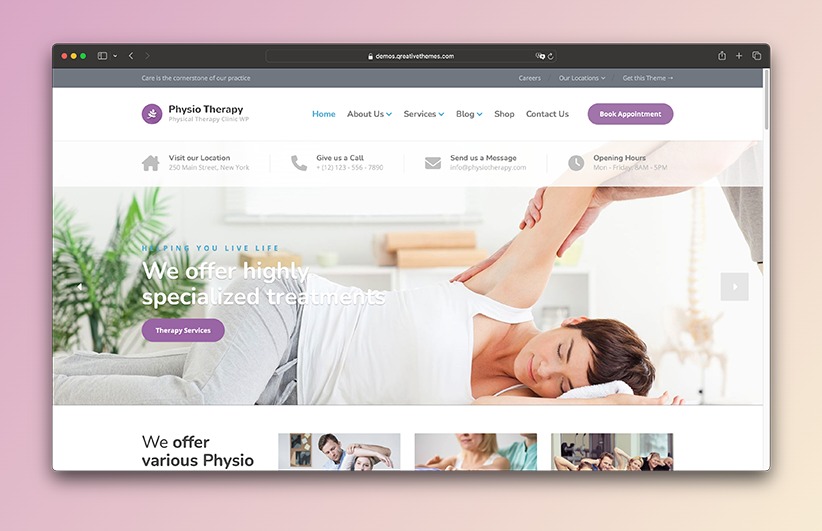
A Better Website for Your Physical Therapy Clinic
Present your treatments, therapist profiles, pricing, and online booking with a WordPress theme built for physical therapy clinics.