

Quoting a weekly home clean is different from pricing an office contract. One customer may want a quick estimate; another needs to discuss the size of the premises, the work involved, and how often you will visit. A cleaning company website should make it clear which jobs you take on and where you work.
I looked for themes that give services, reviews, and completed jobs room to breathe, with an obvious way to ask for a price. A booking calendar or cost calculator can help, provided it fits the way you quote and schedule cleaning work.
The eight choices below range from straightforward company websites to themes with estimate tools and more detailed booking options for maid services and janitorial businesses.
How I evaluated the themes
I checked the developers’ product pages and public feature lists, including page builders, pricing, demo options, and booking requirements. Where the listing was unclear, I’ve called that out rather than assuming the feature is included.
- Are there useful layouts for services, prices, team members, and completed jobs?
- Which page builder will you need to learn?
- Can customers request an estimate, book a time slot, or calculate a price?
- Are commercial contracts and residential cleaning both easy to explain?
- What additional plugins or licenses will the website need?
This comparison is based on published product information. I haven’t independently performance-tested every theme.
Quick picks
- Best overall: The Kleaner. Focused layouts for cleaning and facility services, appointment booking, and more than seven years of maintenance.
- Best for online estimates: CleanMate. A customizable calculator for pricing standard cleaning jobs and collecting quote requests.
- Best selection of layouts: Clenix. Ten homepage demos and more than 20 inner pages for services, teams, and completed work.
- Best for appointments and before-and-after results: Bixol. Twenty homepage demos, included booking, and image-comparison layouts.
- Best budget option: Cleaning Services. A straightforward cleaning-company design with Elementor editing for $39.
- Best for Elementor Pro users: CleaningEco. Edit pages, templates, forms, headers, and footers through Elementor Pro.
- Best for structured service pages: Cleanora. Dedicated content types for cleaning services and staff, plus a cost calculator.
- Best for cleaning packages: Qleen. Price lists, service layouts, and an included calculator for building estimated packages.
Cleaning company WordPress themes compared
| Theme | Best for | Page builder | Booking Plugin | Price* |
|---|---|---|---|---|
| The Kleaner | Commercial and industrial cleaning | WPBakery | Time-slot booking plugin included | Annual: $39 Lifetime: $89 |
| CleanMate | Online cleaning estimates | Elementor or WPBakery | Cost Calculator | $79 |
| Clenix | A choice of cleaning layouts | Elementor | Radius Booking (2026 changelog) | $49 |
| Bixol | Booking and before-and-after content | Elementor | Booked | $49 |
| Cleaning Services | A lower-cost house-cleaning website | Elementor | Contact Form 7 | $39 |
| CleaningEco | An Elementor Pro workflow | Elementor Pro required | Elementor Pro forms | $90, plus Elementor Pro |
| Cleanora | Services, staff profiles, and estimates | Developer’s custom editing tools | Contact Form 7 | $59 |
| Qleen | Service packages and price estimates | Bold Builder | Contact Form 7 | $69 |
* Prices are in US dollars and may change. Tax, extended support, and additional plugin licenses can cost extra.
The Kleaner
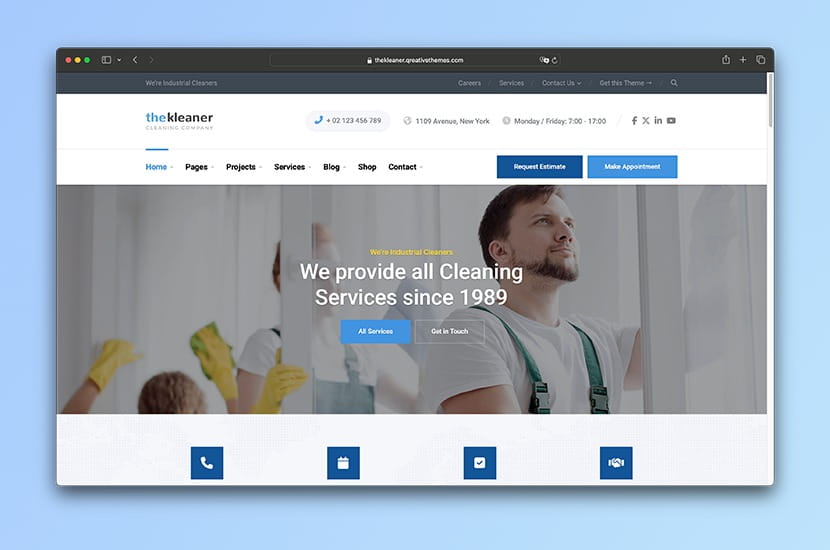
The Kleaner WordPress theme is built for industrial cleaning and janitorial companies. It includes three homepage demos, service pages, project galleries, team profiles, pricing tables and estimate request forms.
Commercial cleaning companies can describe the premises they cover, show completed work and introduce their team before asking visitors to request an estimate. The same layouts also work for residential cleaning packages.
The demo pages use WPBakery. An included time-slot booking plugin can handle straightforward appointments, while the estimate form is better suited to jobs that require a site inspection. Both can stay on the website, with each service directing visitors to the appropriate option.
Disclosure: I built The Kleaner and still maintain it, including handling support myself. Please keep that in mind when reading my recommendation.
Key features:
- Three homepage demos
- WPBakery page editing
- Service, project, and team layouts
- Pricing tables and estimate requests
- Included time-slot appointment plugin
- WooCommerce compatibility
What could be better: The supplied layouts use WPBakery, so Elementor users will have a different editing workflow to learn. The design may look dated beside newer themes, though that says nothing by itself about how well it performs. Its ThemeForest sales and 4.82-star rating from 11 reviews suggest that buyers have been happy with it.
Price: $39 per year or $89 one-time
Developer: QreativeThemes
Page builder: WPBakery
CleanMate
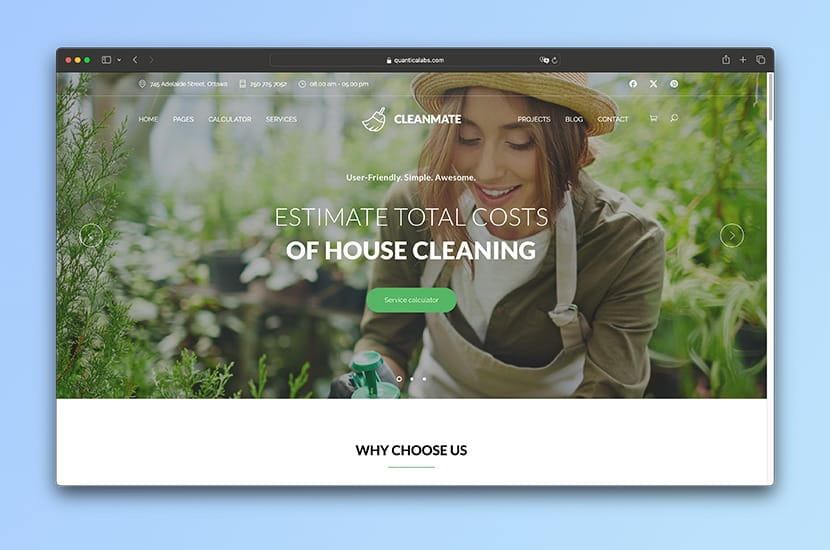
CleanMate includes separate pages for services, projects, team members, testimonials, and a cleaning checklist. The cost calculator is part of the package, so you can build an estimate form around the jobs and prices you offer.
The theme has Elementor and WPBakery demo options. Its shop page is there if you also sell cleaning products.
Key features:
- Cleaning cost calculator included
- Elementor and WPBakery demo options
- Custom estimate forms
- Service and team components
- WooCommerce support
What could be better: An online calculator cannot account for every property. A deep clean or a poorly maintained space may cost more than the figure it shows, so present that figure as an estimate and explain when you confirm the final price. CleanMate also advertises its own contact form, but I could not find details in the product listing about integrations with other services or spam protection. Ask the developer if either matters to your enquiry process.
Price: $79
Developer: QuanticaLabs
Page builder: Elementor or WPBakery
Clenix
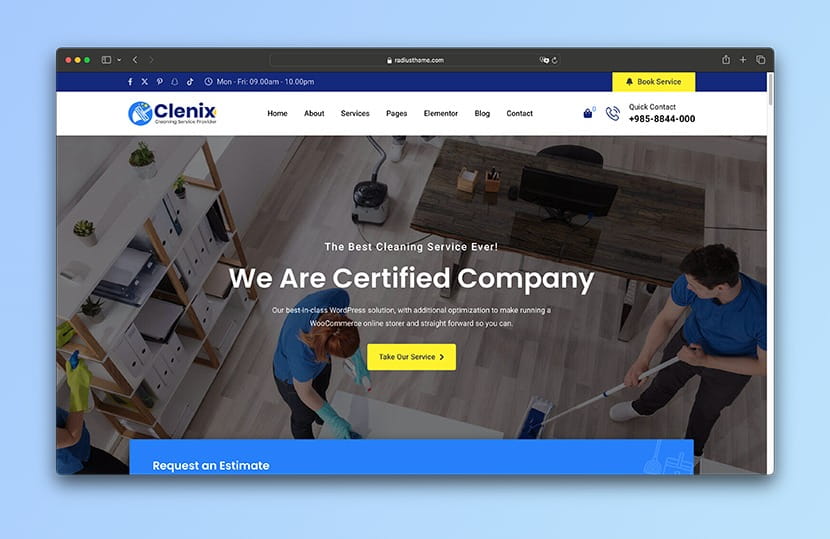
Clenix offers several ways to lay out a cleaning-company site. The listing names ten multipage homepage demos and more than 20 inner pages, including service, team, portfolio, and about layouts.
Pages use Elementor, and there is a WooCommerce shop page. A May 2026 changelog entry says Radius Booking was added, though the main feature description says little about how booking works.
Key features:
- Multiple one-page and multipage demos
- Elementor editing
- Service, team, and portfolio layouts
- WooCommerce shop layout
- WPML support
What could be better: The product page gives different counts for its demos and little detail about Radius Booking. Check the exact demo and booking workflow before buying, especially if you need recurring visits or staff assignments.
Price: $49
Developer: RadiusTheme
Page builder: Elementor
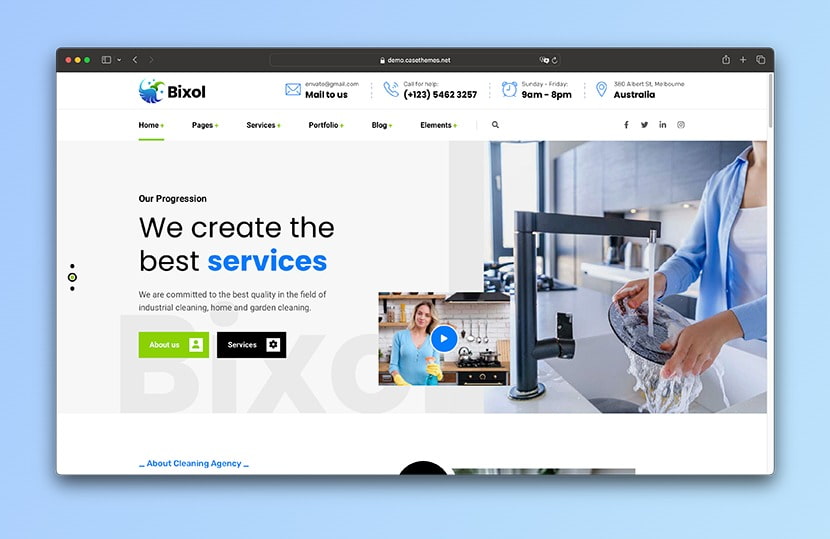
Bixol
Bixol has ten multipage and ten one-page homepage variants, with Elementor layouts for services and company information. Its before-and-after image element makes sense for jobs where the result is visible, such as carpet or floor cleaning.
The Booked appointment plugin is included, and WooCommerce is supported if you want to add a shop.
Key features:
- Elementor and custom cleaning widgets
- One-page and multipage demos
- Booked appointment plugin included
- Before-and-after images
- WooCommerce compatibility
What could be better: Bixol offers 20 homepage demos and ten header layouts. That gives you plenty to choose from, but can also mean more decisions and setup work than a smaller cleaning theme. If you are new to WordPress and need a straightforward company site, check whether you will use enough of those options to justify the extra choice.
Price: $49
Developer: Case-Themes
Page builder: Elementor
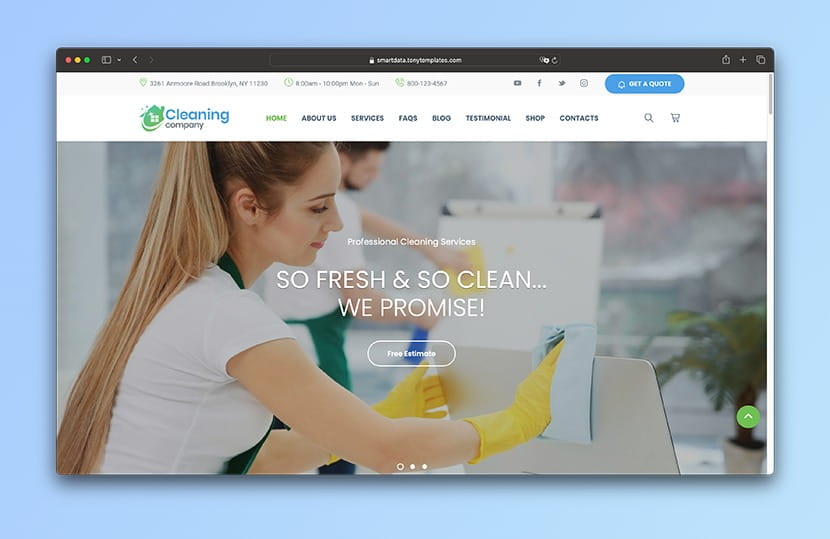
Cleaning Services
Cleaning Services is aimed at house cleaners and maid services. It lists Elementor editing, Contact Form 7, and WooCommerce compatibility, and costs $39, the lowest one-time theme price in this comparison.
The demo suits a business that wants to explain its services and take enquiries without setting up a more involved booking process.
Key features:
- Elementor compatibility
- House-cleaning and maid-service layouts
- WooCommerce compatibility
- Contact Form 7 support
- RTL support
What could be better: From what I can see, many Elementor sections are set up as single, prebuilt widgets. That gives you less control over the individual elements inside each section than you might expect.
Price: $39
Developer: SmartDataSoft
Page builder: Elementor
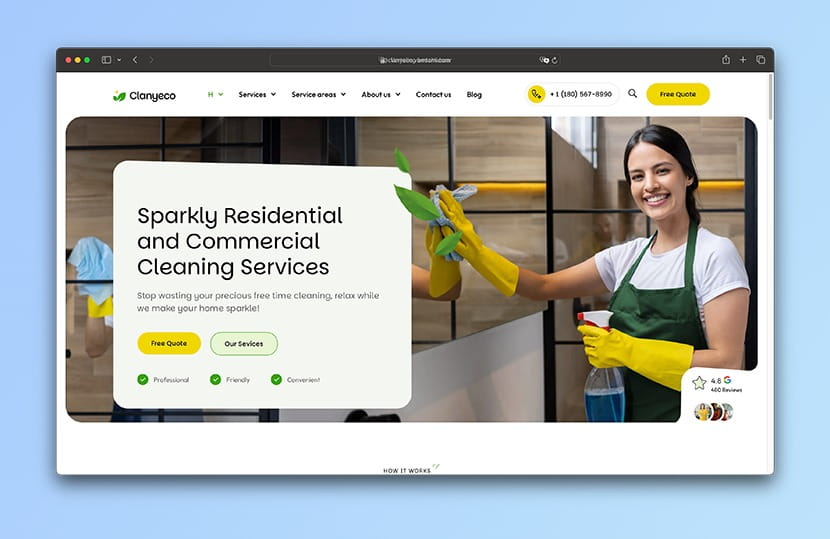
CleaningEco
CleaningEco is built around Elementor Pro. Its demo covers home, office, and specialist cleaning, while headers, footers, forms, and page templates are edited through the same system.
VamTam says the demo images are licensed for use with the theme. That gives you photographs to work with while you arrange images of your own staff and completed jobs.
Key features:
- Elementor Pro pages and templates
- Editable headers and footers
- Elementor Pro forms and pop-ups
- Licensed demo images
- RTL support
What could be better: Elementor Pro is required for setup and demo import, so budget for that license on top of the $90 theme. Its forms can collect enquiries, but recurring appointments and cleaner availability need a separate booking setup.
Price: $90, plus Elementor Pro
Developer: VamTam
Page builder: Elementor Pro required
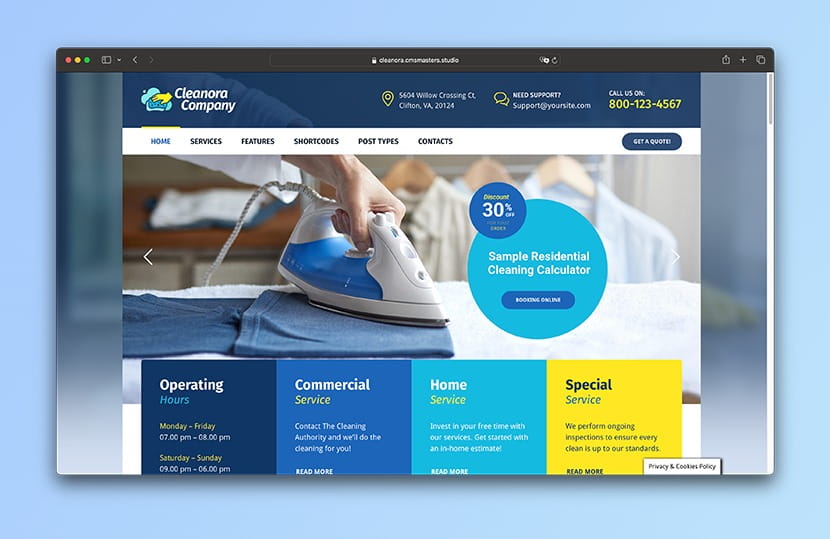
Cleanora
Cleanora uses separate content types for services and staff profiles, so you can add offerings and team members without rebuilding a page each time. It also includes a cleaning cost calculator and WooCommerce shop layouts.
Editing runs through cmsmasters’ own admin tools and shortcodes, rather than Elementor.
Key features:
- Cleaning cost calculator
- Service and staff-profile content types
- WooCommerce shop layouts
- Custom widgets and shortcodes
- Bundled slider plugins
What could be better: Cleanora uses the developer’s own editing tools and shortcodes rather than the familiar Elementor or WPBakery page-building workflow. That may take time to learn if you use either builder already. Ask the developer whether you can try the editor before buying.
Price: $59
Developer: cmsmasters
Page builder: Developer’s custom editing tools
Qleen
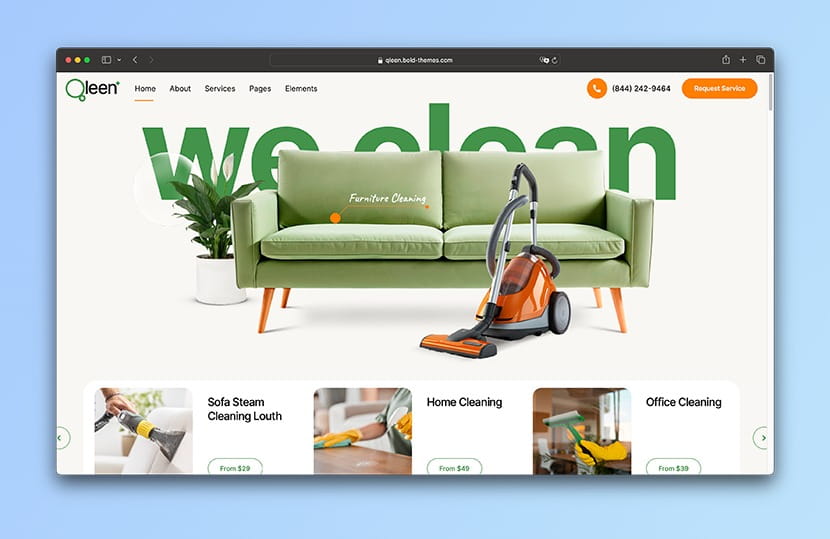
Qleen includes pages for services, pricing, company information, and contact details. BoldThemes also supplies price-list elements and a Cost Calculator for businesses that want to show packages or offer an estimate.
You edit the pages with Bold Builder. WooCommerce support is listed if you want to add a product shop.
Key features:
- Bold Builder
- Cost Calculator plugin included
- Service layouts and pricing tables
- One-click demo import
- WooCommerce and Contact Form 7 support
What could be better: The listing mentions booking requests but does not identify an included appointment calendar. If customers need to reserve time slots, ask what handles that. Bold Builder also has its own editing workflow to learn.
Price: $69
Developer: BoldThemes
Page builder: Bold Builder
Frequently asked questions
What should a cleaning company website include?
Start with separate pages for your main services, the areas you cover, customer reviews, company information, and a clear way to request a price. Explain what a standard clean includes and which tasks cost extra. For commercial work, add the property types you serve and how you arrange site visits.
Can customers book cleaning services through WordPress?
Yes, if you configure a booking plugin or connect an external scheduling service. A contact form can collect a preferred date, but someone still needs to confirm it. Check whether your chosen system supports service duration, staff availability, travel time, and repeat visits before offering instant confirmation.
Do I need a cleaning cost calculator?
It helps when your pricing follows predictable rules, such as property size, room count, and selected extras. For industrial work or a property you haven’t inspected, an estimate request may be more practical. Show what the calculation includes and when a site visit is required.
Can I offer recurring cleaning packages?
You can display weekly, fortnightly, or monthly packages with pricing tables. Automatic recurring payments and recurring appointments are separate requirements. Check both with your booking and payment providers; a theme’s pricing table does not create either one.
Is Elementor better than WPBakery for a cleaning website?
Both can handle service pages, pricing sections, and enquiry forms. The Kleaner uses WPBakery; several alternatives here use Elementor. Choose the editor you or your website manager can maintain comfortably. Switching editors later usually means rebuilding the existing page layouts.
Can I promote several service areas?
Yes. List the towns or districts you cover and explain any travel limits. Create separate location pages only where you have useful local information, such as relevant projects, available services, or a local team. Each page should help a customer decide whether you can take their job.
What should I check before buying?
Try the mobile demo, read the update history, and check the required plugins. Ask whether booking, recurring payments, and demo photographs are included. For an estimate form, work through a realistic job from the first question to the confirmation email before putting it in front of customers.